Use a custom character mesh for the rider
Applies to: Latest version · Updated
The Rider Blueprints and Animations are fully compatible with any character based on the Epic skeleton. If the character uses a different skeleton, it's possible to retarget the rider animations.
-
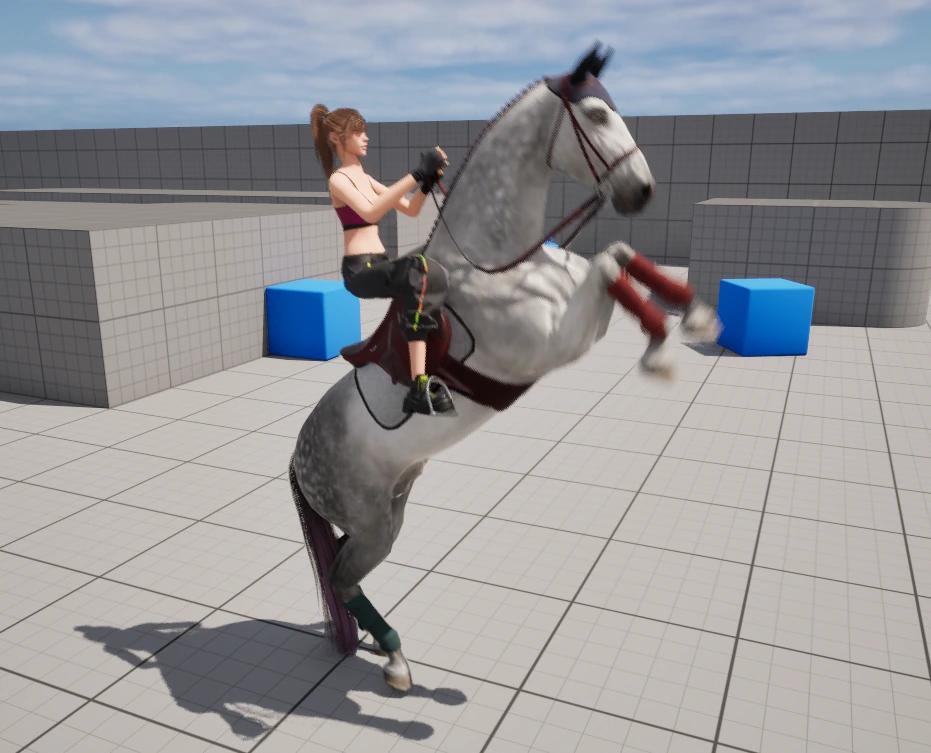
Add the Horse Riding System to a project containing your custom character. For this demo, I'm using the Cyberpunk Fighter Girl character.
-
Open
HorseRidingSystem\DemoScene\RidingDemoScene. -
Find the skeletal mesh you want to use (e.g.
CyberpunkGirl\Meshes\SKM_Cyberpunk_Girl_Top). -
Right Click -> Skeleton -> Assign Skeleton.
-
Choose
SK_Mannequin(atHorseRidingSystem\Mannequins\Meshes) as the new skeleton. Merge the bones if prompted. -
Replace the Skeletal Mesh of
BP_Rider(atHorseRidingSystem\Blueprints) with the custom character's mesh. -
Play the level.
Need help? Ask on Discord. The system itself: Complete Horse Riding System: Rideable Mount.